
Building a scalable design system for faster product delivery
How I built S4labour’s first token-based design system to support faster, more consistent delivery across teams.
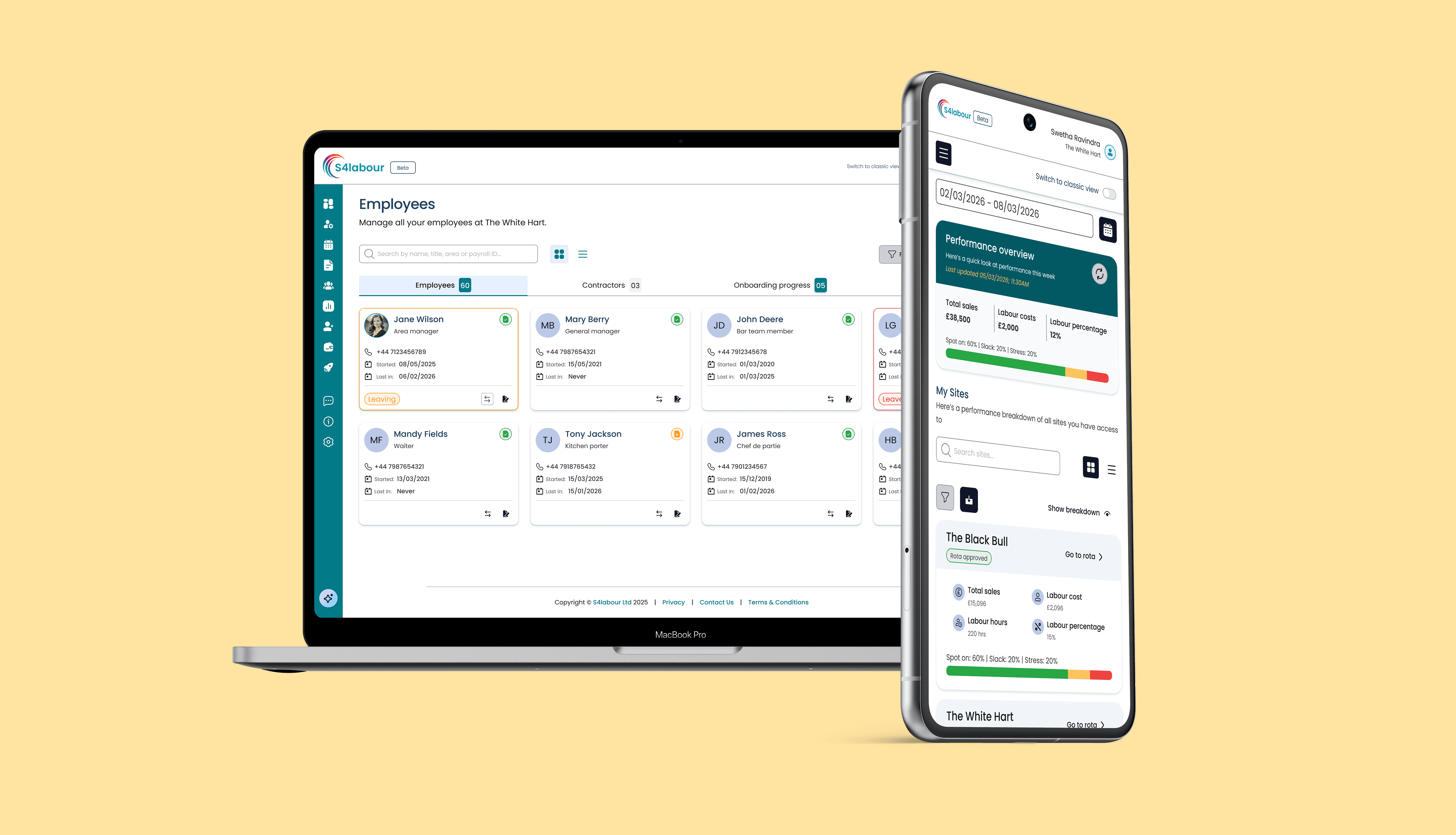
TLDR;
Problem: A 17-year-old product with no shared UI foundation. Every screen styled in isolation. The engineering team's Angular upgrade would recreate the inconsistency at scale without a design system to anchor it.
Solution: Built a token-based design system from scratch. PrimeNG library aligned, fully documented, and scoped to unblock delivery rather than wait for perfection.
Impact: Single source of truth for the whole team. UI inconsistency replaced with a repeatable baseline. Screens now uplifted incrementally without pausing feature delivery.
CONTEXT
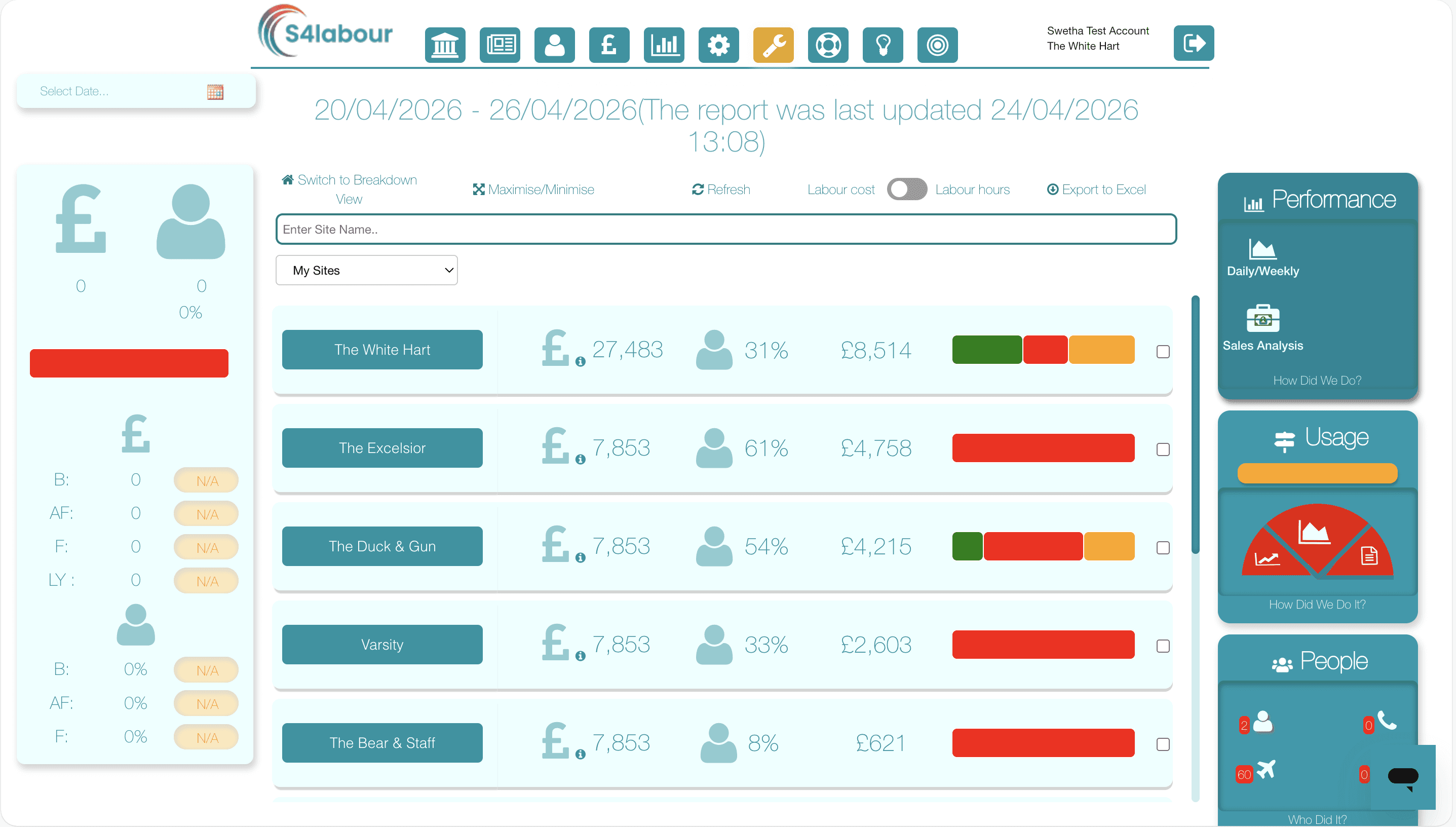
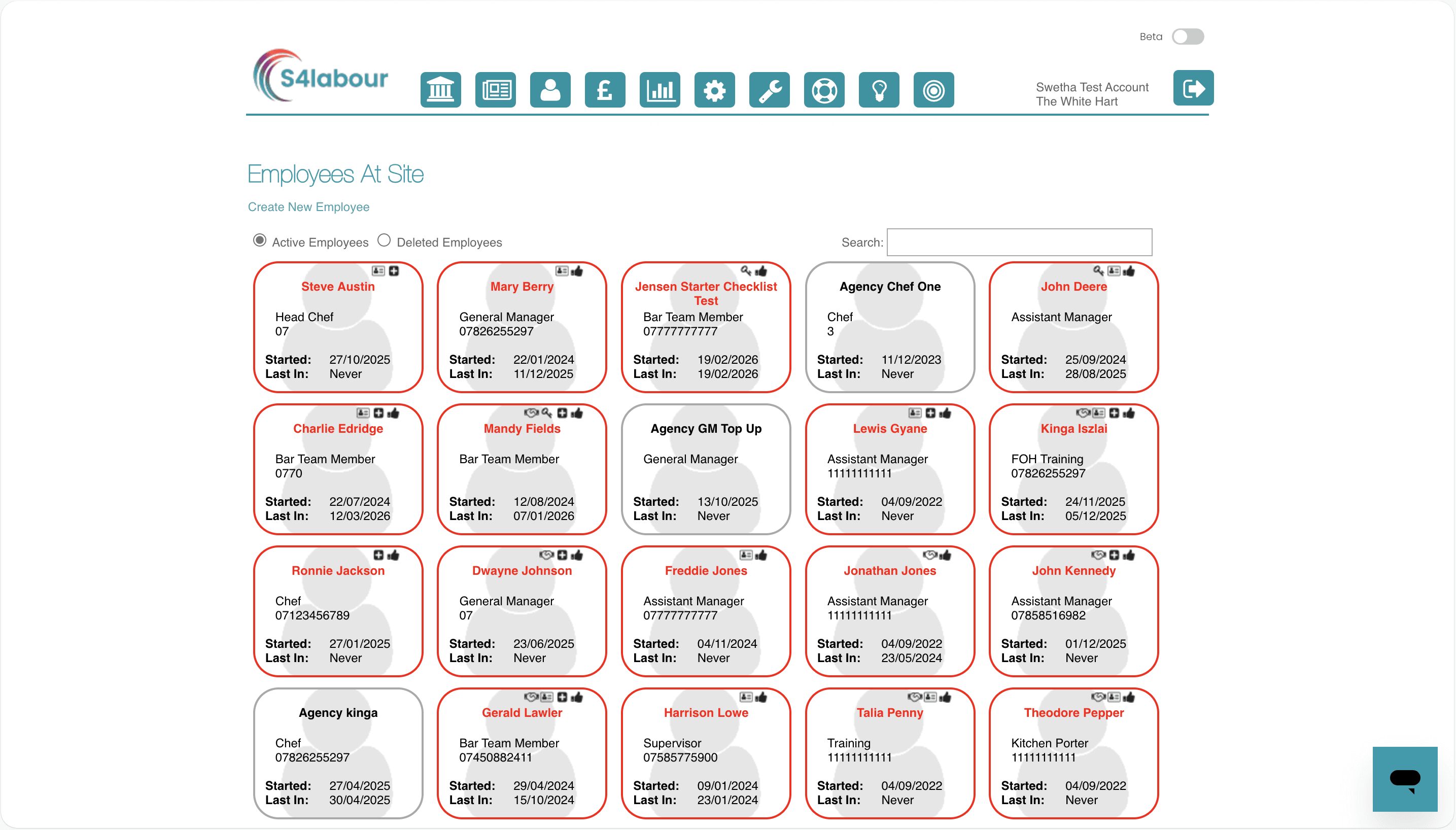
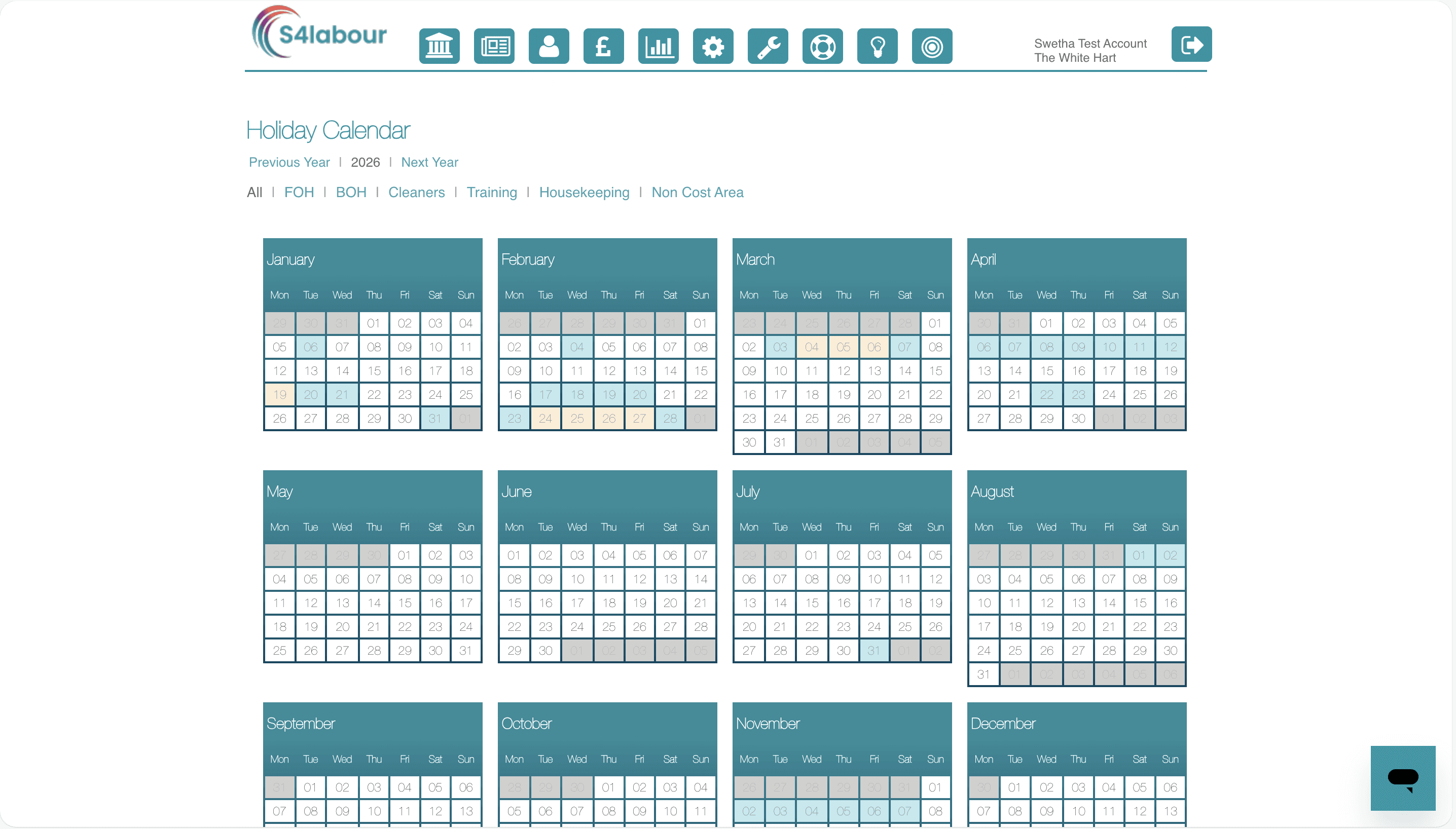
S4Labour had been running since 2008. Feature-rich, complex, and deeply embedded in how hospitality teams run their day. But the UI foundation hadn't kept pace. Forms behaved differently screen to screen. Tables had inconsistent density. Buttons in one part of the product looked nothing like buttons in another.
Nobody had built a shared system because there had never been a moment to stop. The product kept shipping, and inconsistency quietly accumulated.
The Angular upgrade changed the calculus. It was either rebuild the UI properly this time, or recreate the same inconsistency in a newer framework. That window was the case for investing in a design system and it needed to happen alongside live delivery, not instead of it.
THE STRATEGY
I positioned the system as a delivery tool, not a design-only artefact. That meant making a deliberate call early:
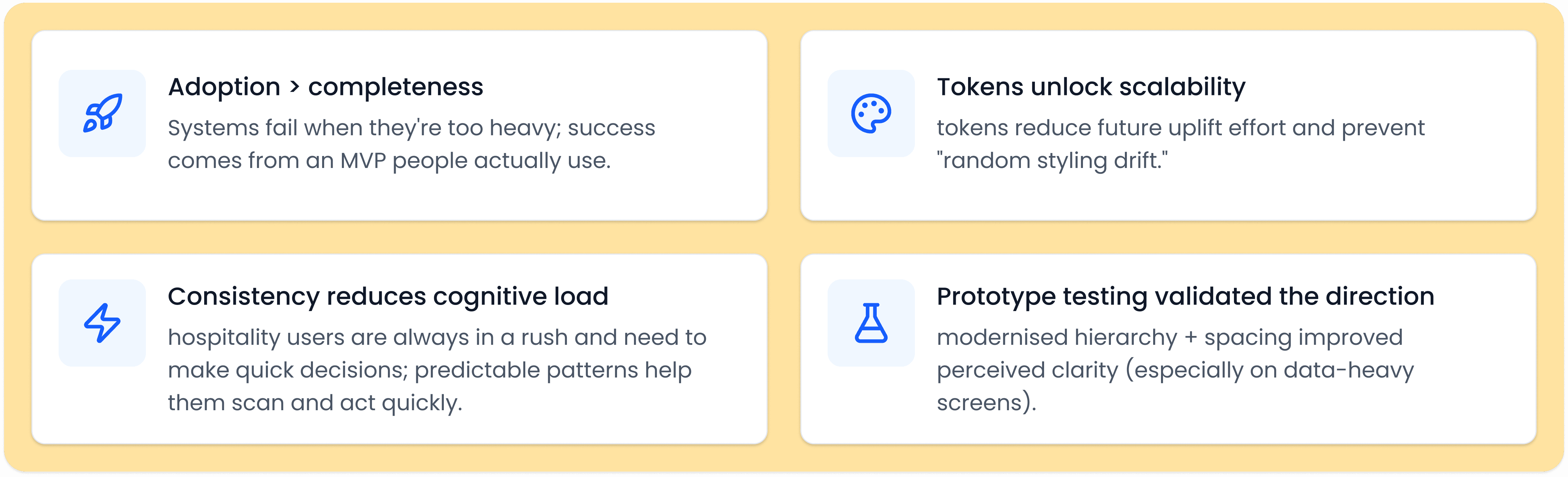
scope around what the team needed to build right now, not everything they might need eventually. Foundations and core components first, the building blocks touching every screen in the Angular upgrade, with everything else following as screens were picked up.
This wasn't an incomplete system. It was intentional sequencing that kept delivery moving while the system matured alongside it."
HOW I BUILT IT
01
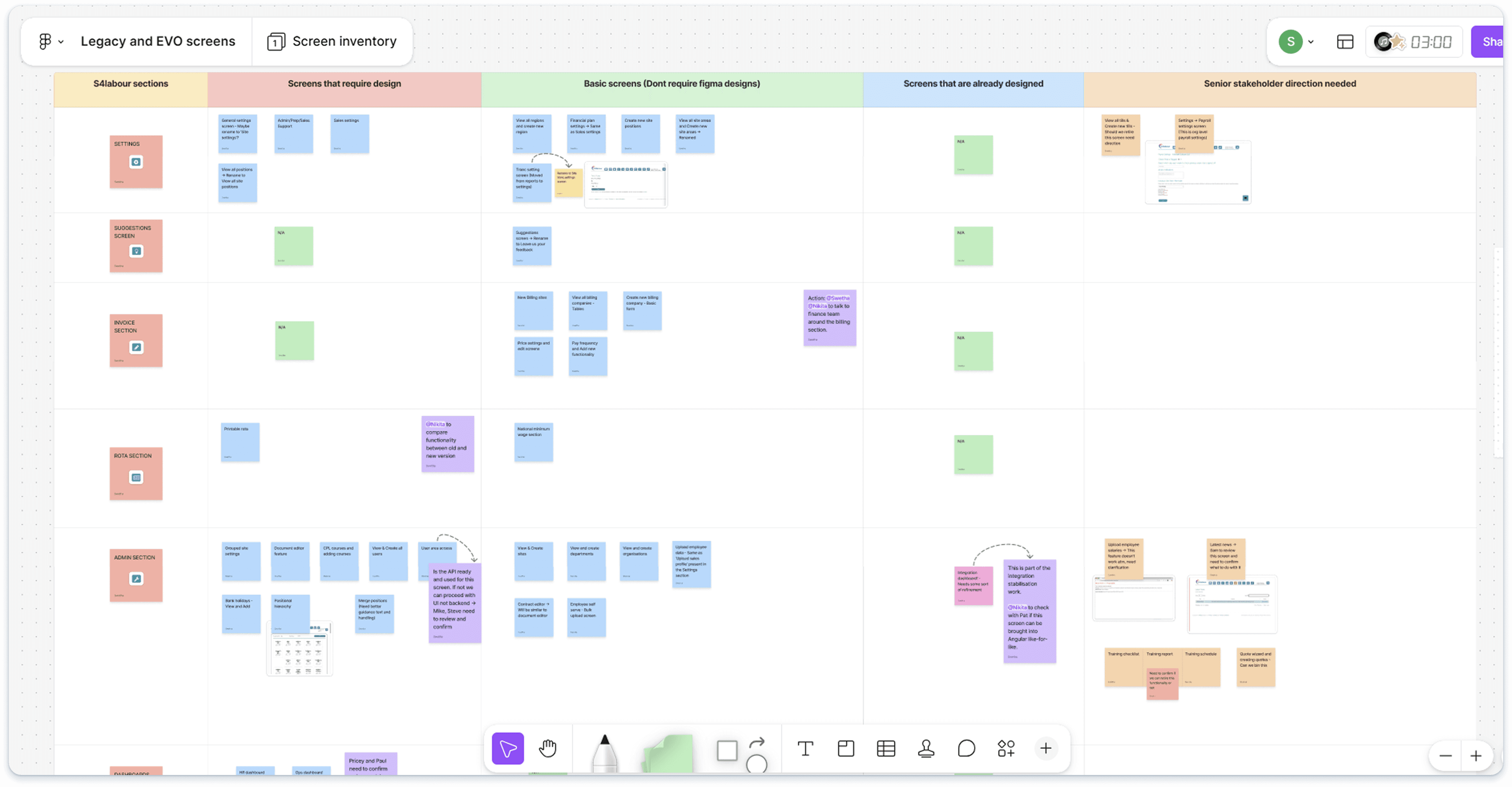
Full system audit and screen classification
Audited every screen and classified it: customer-facing (needs full design), customer-facing (basic uplift), internal (needs design), internal (basic uplift). This gave us a delivery map before a single component was built.
Trade off: prioritised what would de-risk delivery first, not what was most exciting to redesign.
02
Foundations first: local variables before components
Set up semantic local variables in Figma covering colour (surface / text / border / feedback), spacing, and elevation. Tokens made styling decisions repeatable and prevented one-off exceptions from creeping back in.
Trade off: Shipped an MVP system to unblock delivery, iterated as screens were picked up.
03
Prove value on a simple screen first
Partnered with the PM to target a simple customer-facing screen as the first uplift — not the most impressive, but the one that would teach us the realistic time and effort for end-to-end build and QA.
Trade off: optimised for fast learning over fast impressions.
04
Components with every state: PrimeNG aligned
Built core components in Figma covering buttons, inputs, tables, dialogs and toasts, each with full states (default, hover, focus, error, disabled, loading). Mapped to PrimeNG as each screen entered development to reduce custom build risk.
Trade off: Maintainable off-the-shelf component base over fully bespoke, this reduced dev and QA cost significantly.
05
Documentation built for the team, not for show
Every component shipped with states and behaviours, edge cases, UX copy rules, and a QA-ready acceptance criteria checklist. Also created a screen inventory doc so the team always knew what was being uplifted and when.
Trade off: Kept governance lightweight so the system stayed adoptable for a small team.
KEY INSIGHTS
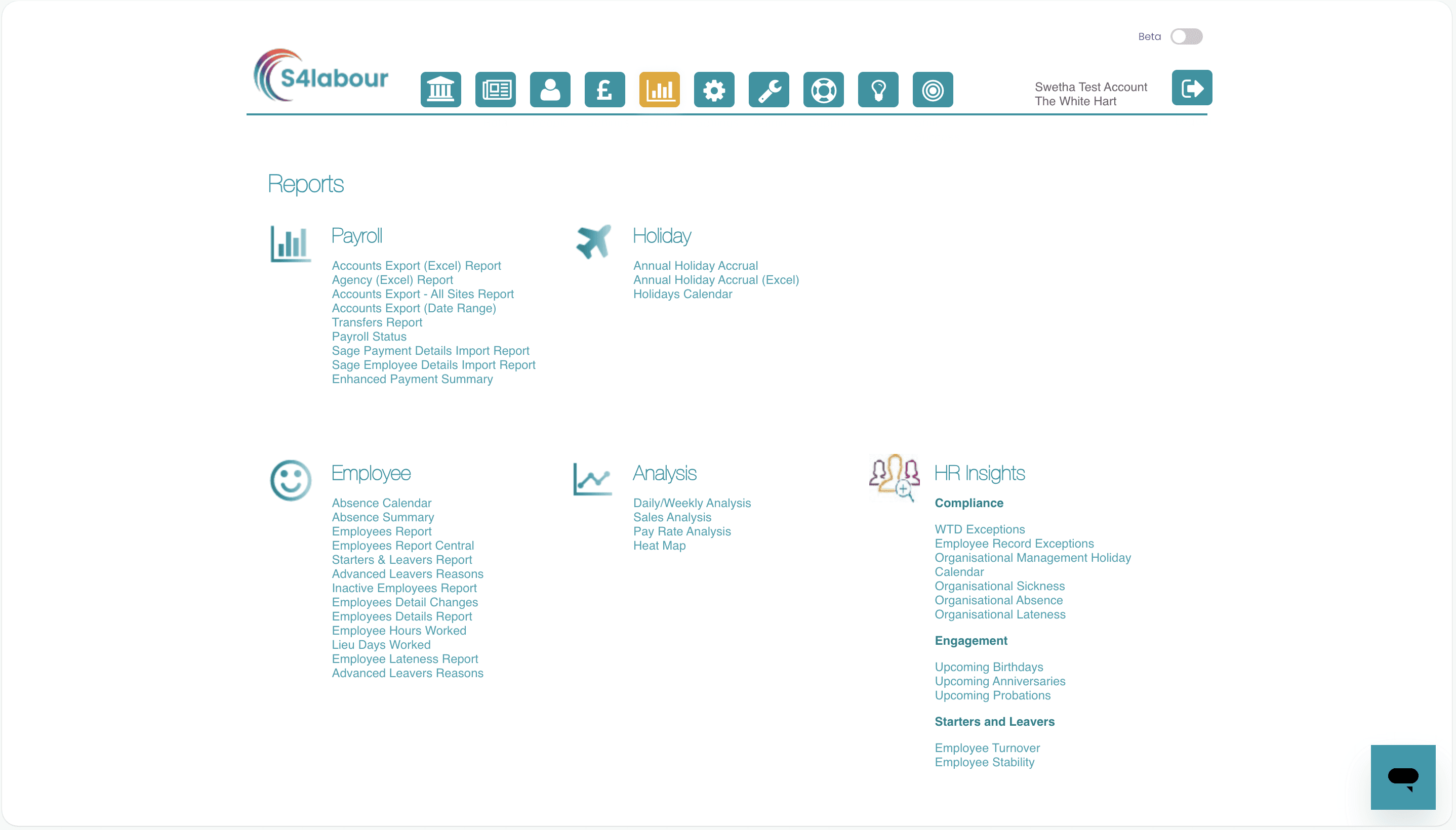
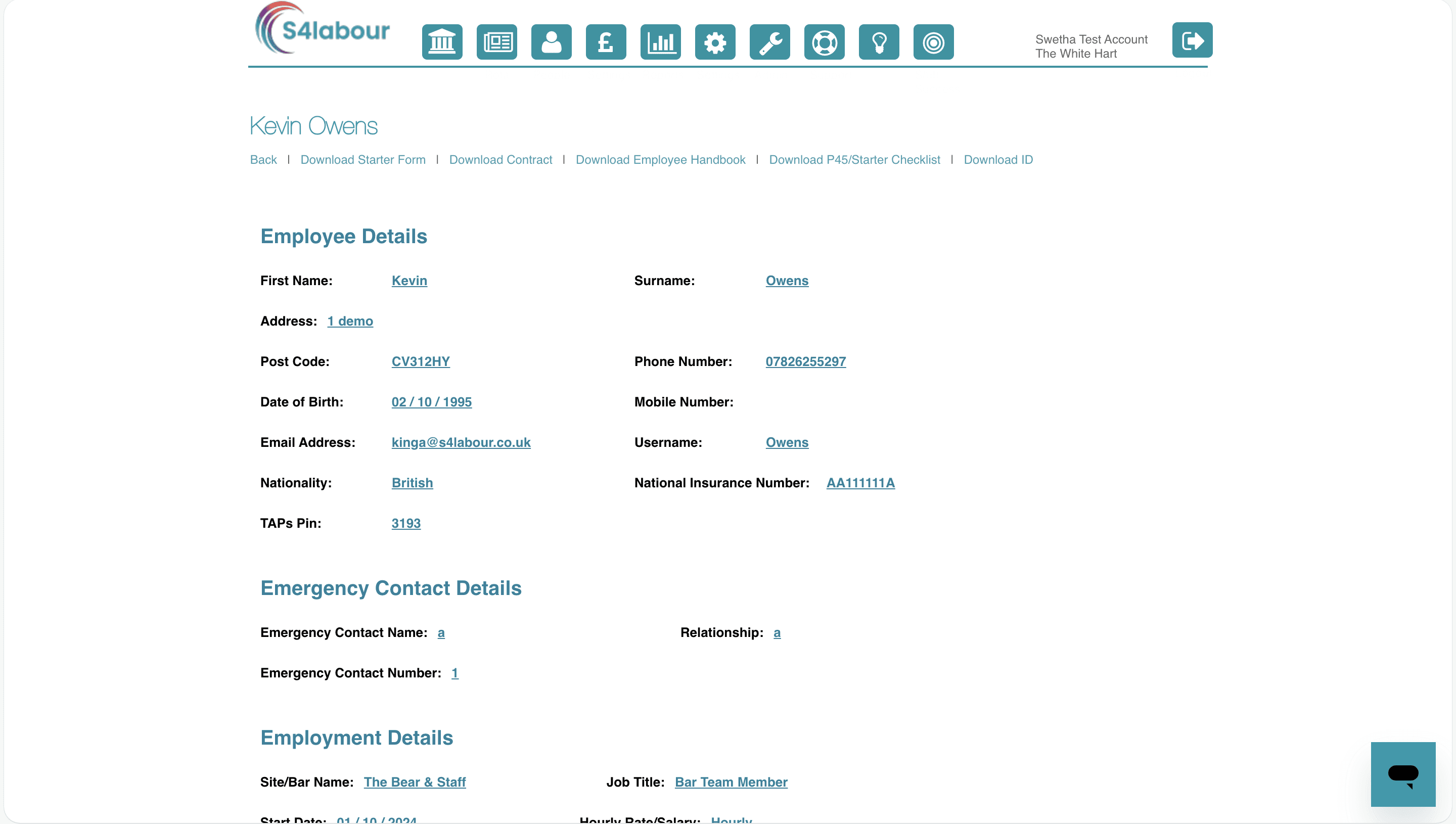
BEFORE
UI inconsistency, outdated styling
UI patterns varied screen to screen: forms, tables, buttons behaved differently
Styling decisions made in isolation per screen, slower delivery and harder QA
Legacy UI looked dated vs. modern hospitality tech competitors
Angular upgrade risked recreating inconsistency without a shared baseline
AFTER
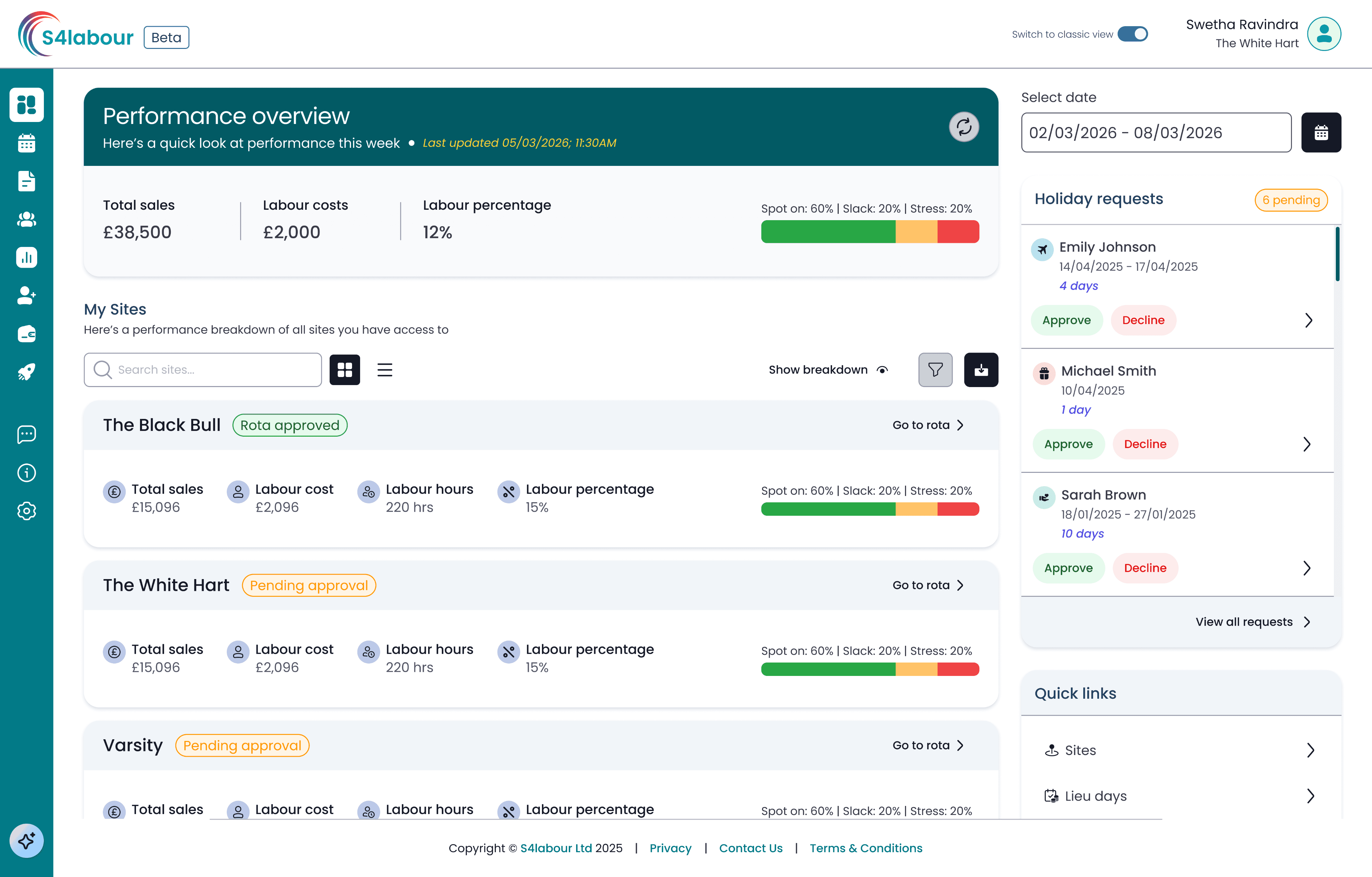
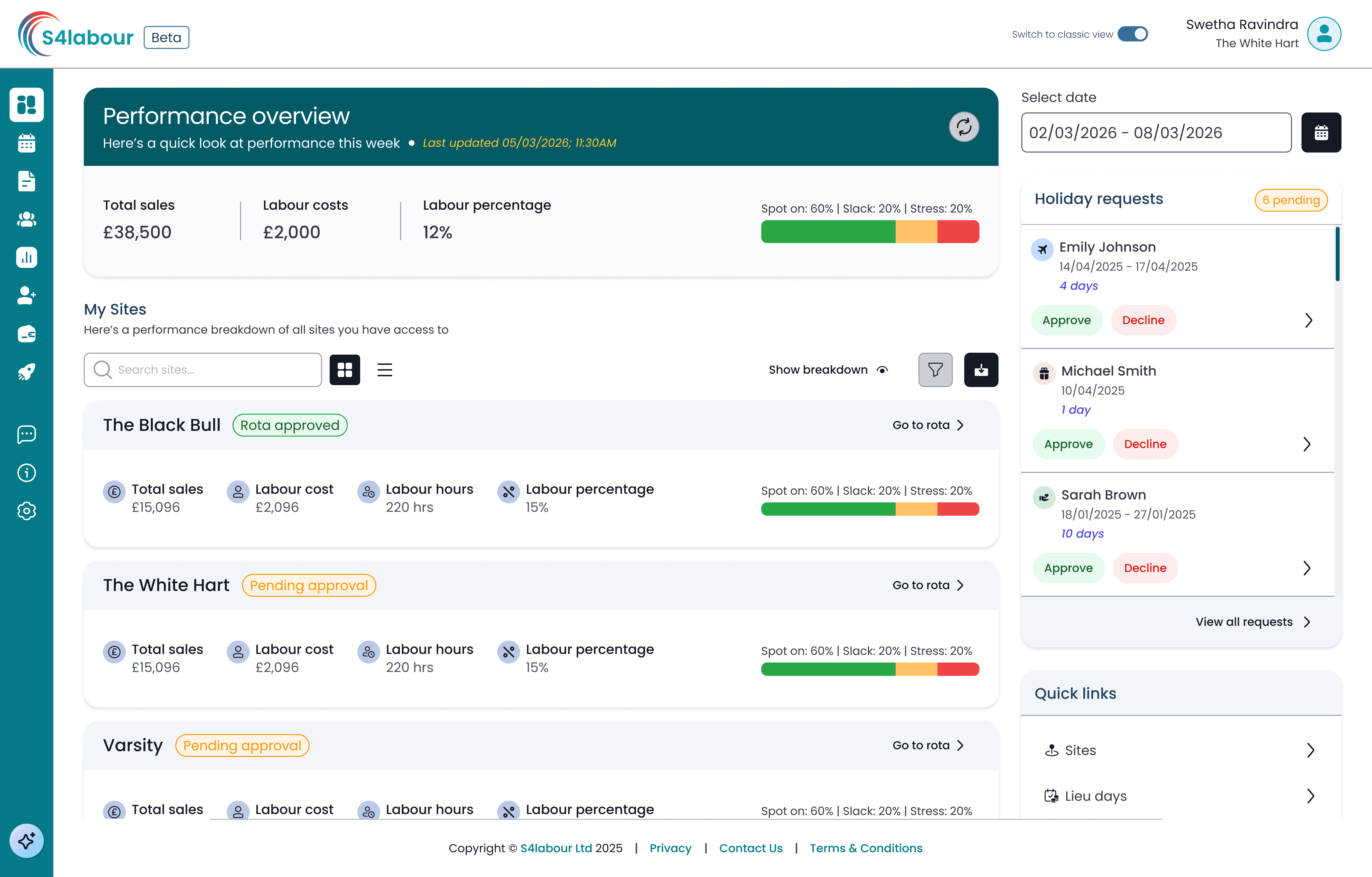
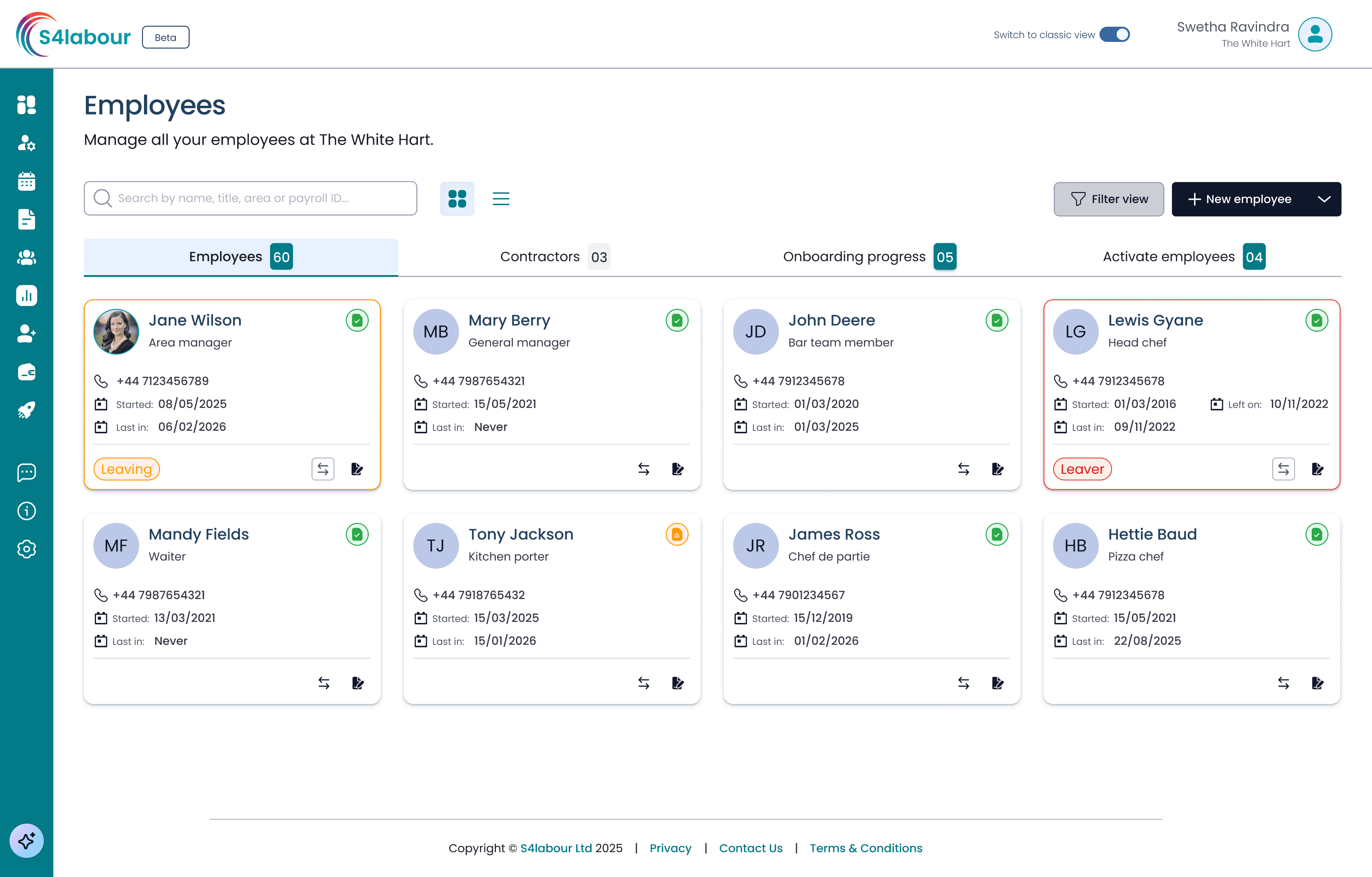
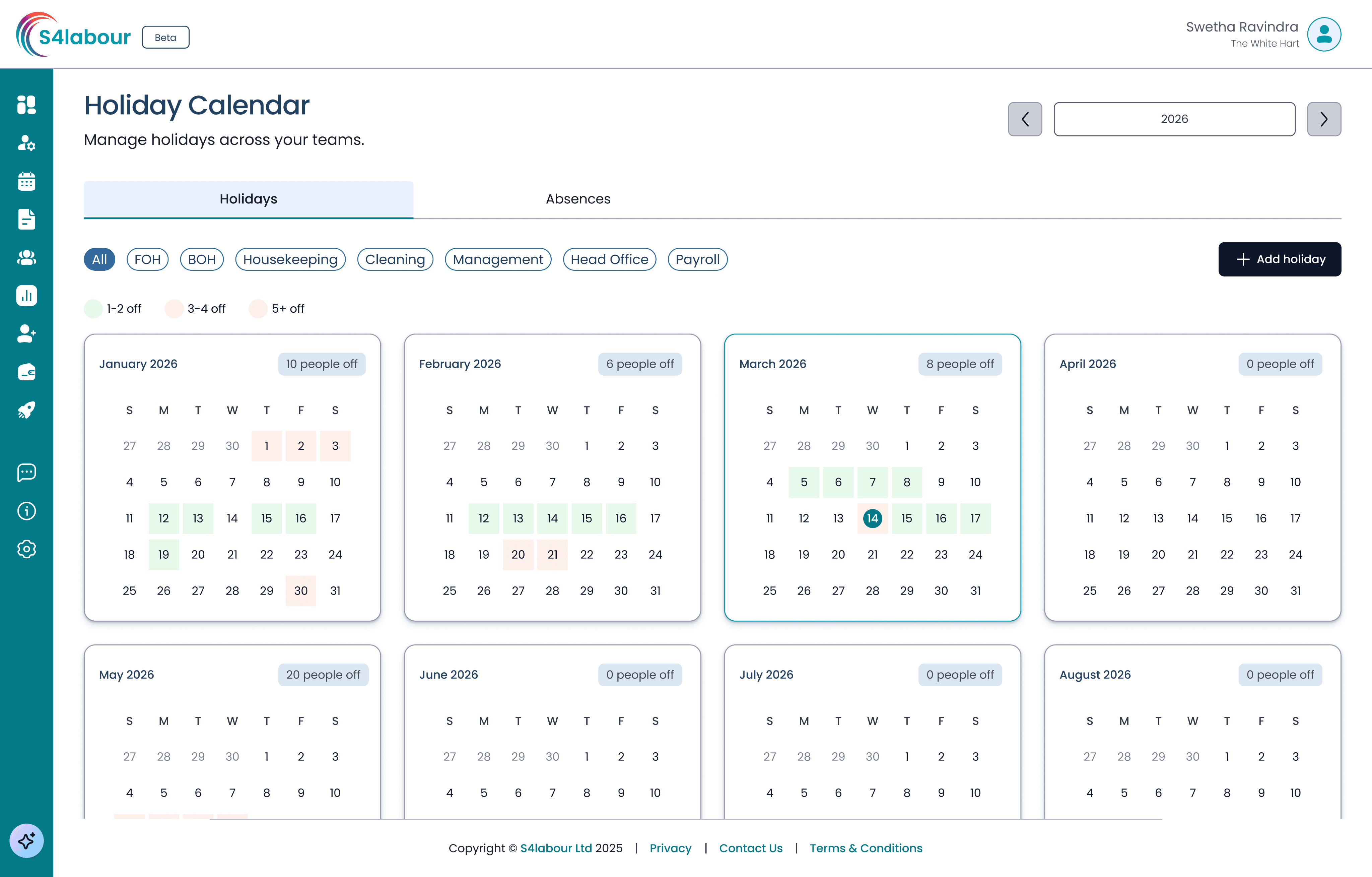
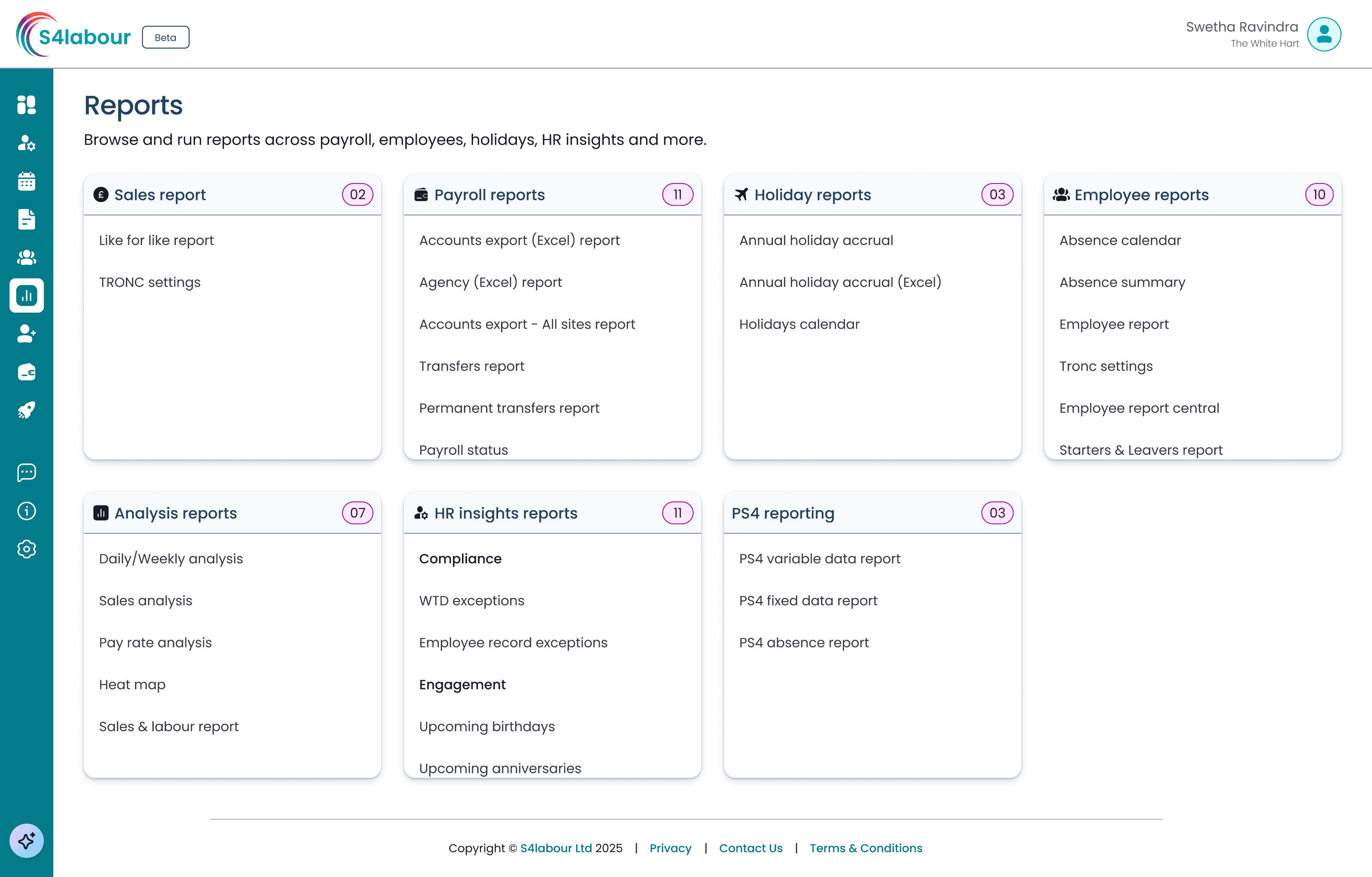
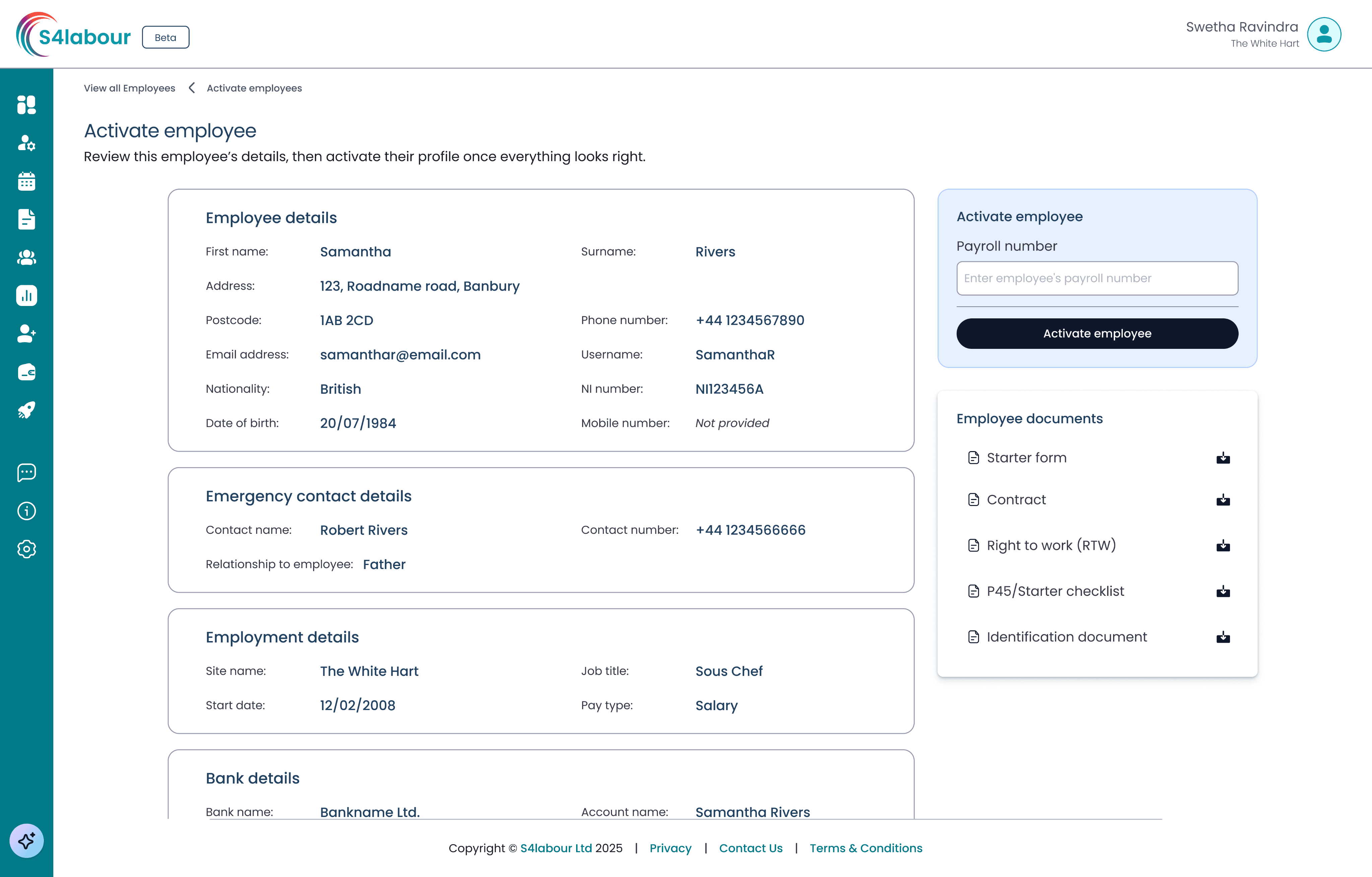
Consistency is now the default
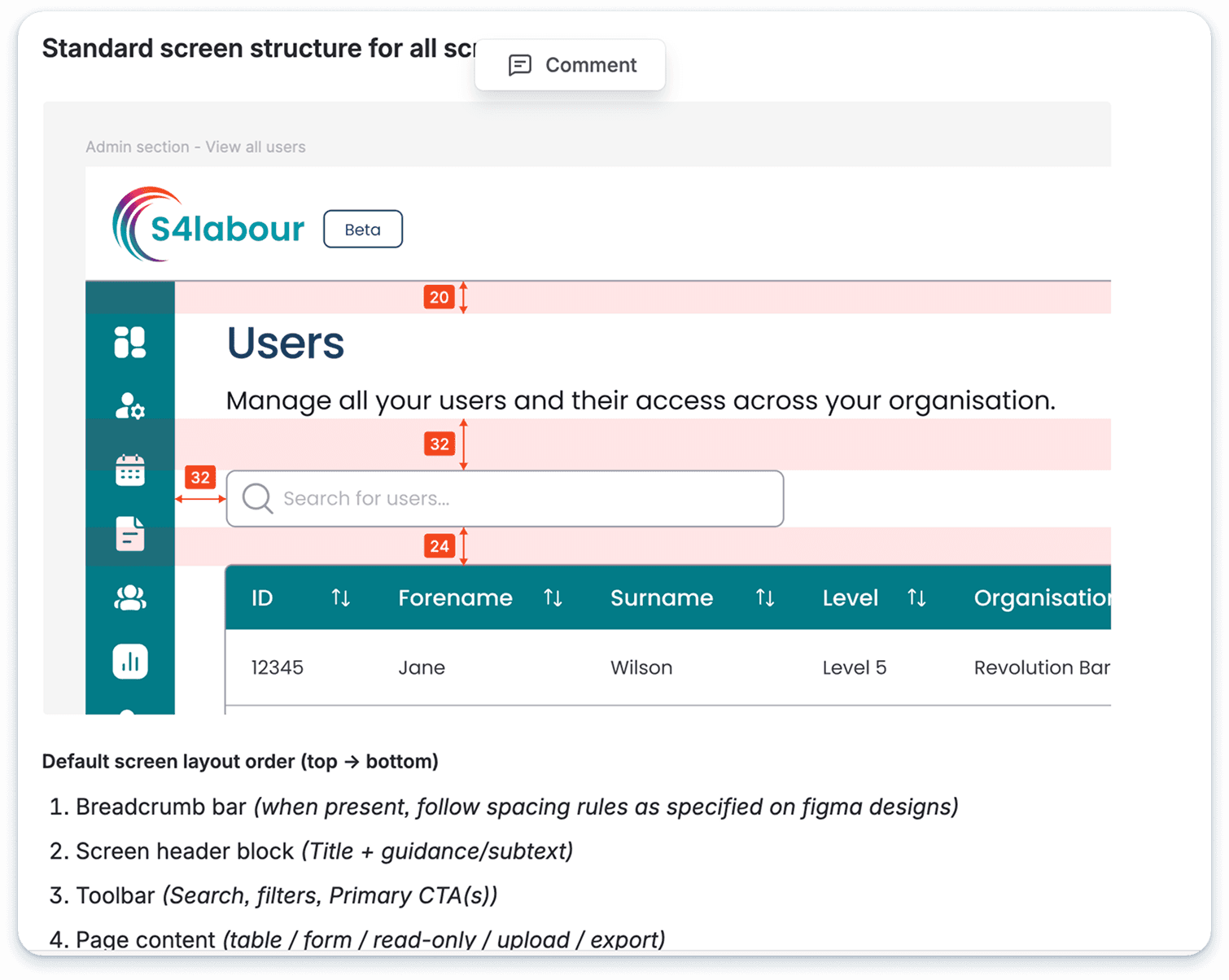
Clearer hierarchy → purpose and primary action easier to spot
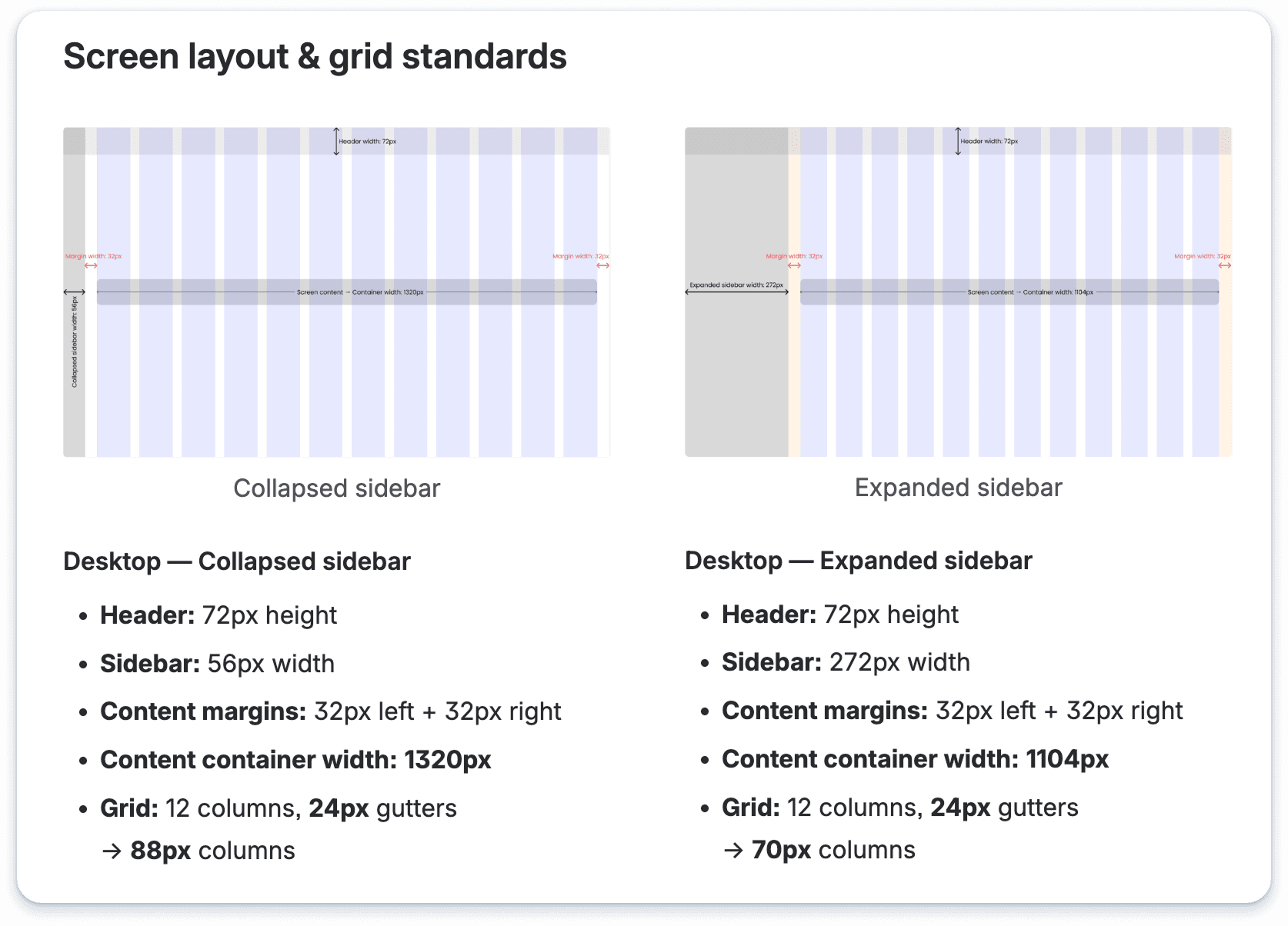
Consistent navigation → scalable layout pattern for all admin screens
Cleaner table scanning → improved spacing and readability for dense lists
Safer actions and feedback → CTAs supported by confirm and toast patterns
IMPACT
Single source of truth: UI foundations in one place, no design-by-guesswork
Repeatable baseline: Supports Angular upgrade without reintroducing legacy inconsistency
Reduced UI drift: Tokens and documented rules make future changes consistent
Uplift as we go: Screens modernised incrementally without pausing feature delivery
REFLECTION
The hardest part wasn't building the system, it was convincing people it was worth investing in while the backlog kept growing. Framing it as a delivery accelerator rather than a design project was what made it land.
The system is still evolving. We're tracking uplift progress with Pendo and will measure UI-related support tickets before and after each screen is updated, that's how we'll know if the consistency changes are actually making a difference for users, not just for us.
What I'd do differently: push for earlier stakeholder buy-in on the token structure. Some early decisions needed revisiting once development started, and that cost time we could have saved.
TLDR;
Problem: A 17-year-old product with no shared UI foundation. Every screen styled in isolation. The engineering team's Angular upgrade would recreate the inconsistency at scale without a design system to anchor it.
Solution: Built a token-based design system from scratch. PrimeNG library aligned, fully documented, and scoped to unblock delivery rather than wait for perfection.
Impact: Single source of truth for the whole team. UI inconsistency replaced with a repeatable baseline. Screens now uplifted incrementally without pausing feature delivery.
CONTEXT
S4Labour had been running since 2008. Feature-rich, complex, and deeply embedded in how hospitality teams run their day. But the UI foundation hadn't kept pace. Forms behaved differently screen to screen. Tables had inconsistent density. Buttons in one part of the product looked nothing like buttons in another.
Nobody had built a shared system because there had never been a moment to stop. The product kept shipping, and inconsistency quietly accumulated.
The Angular upgrade changed the calculus. It was either rebuild the UI properly this time, or recreate the same inconsistency in a newer framework. That window was the case for investing in a design system and it needed to happen alongside live delivery, not instead of it.
THE STRATEGY
I positioned the system as a delivery tool, not a design-only artefact. That meant making a deliberate call early:
scope around what the team needed to build right now, not everything they might need eventually. Foundations and core components first, the building blocks touching every screen in the Angular upgrade, with everything else following as screens were picked up.
This wasn't an incomplete system. It was intentional sequencing that kept delivery moving while the system matured alongside it."
HOW I BUILT IT
01
Full system audit and screen classification
Audited every screen and classified it: customer-facing (needs full design), customer-facing (basic uplift), internal (needs design), internal (basic uplift). This gave us a delivery map before a single component was built.
Trade off: prioritised what would de-risk delivery first, not what was most exciting to redesign.
02
Foundations first: local variables before components
Set up semantic local variables in Figma covering colour (surface / text / border / feedback), spacing, and elevation. Tokens made styling decisions repeatable and prevented one-off exceptions from creeping back in.
Trade off: Shipped an MVP system to unblock delivery, iterated as screens were picked up.
03
Prove value on a simple screen first
Partnered with the PM to target a simple customer-facing screen as the first uplift — not the most impressive, but the one that would teach us the realistic time and effort for end-to-end build and QA.
Trade off: optimised for fast learning over fast impressions.
04
Components with every state: PrimeNG aligned
Built core components in Figma covering buttons, inputs, tables, dialogs and toasts, each with full states (default, hover, focus, error, disabled, loading). Mapped to PrimeNG as each screen entered development to reduce custom build risk.
Trade off: Maintainable off-the-shelf component base over fully bespoke, this reduced dev and QA cost significantly.
05
Documentation built for the team, not for show
Every component shipped with states and behaviours, edge cases, UX copy rules, and a QA-ready acceptance criteria checklist. Also created a screen inventory doc so the team always knew what was being uplifted and when.
Trade off: Kept governance lightweight so the system stayed adoptable for a small team.
KEY INSIGHTS
IMPACT
Single source of truth: UI foundations in one place, no design-by-guesswork
Repeatable baseline: Supports Angular upgrade without reintroducing legacy inconsistency
Reduced UI drift: Tokens and documented rules make future changes consistent
Uplift as we go: Screens modernised incrementally without pausing feature delivery
REFLECTION
The hardest part wasn't building the system, it was convincing people it was worth investing in while the backlog kept growing. Framing it as a delivery accelerator rather than a design project was what made it land.
The system is still evolving. We're tracking uplift progress with Pendo and will measure UI-related support tickets before and after each screen is updated, that's how we'll know if the consistency changes are actually making a difference for users, not just for us.
What I'd do differently: push for earlier stakeholder buy-in on the token structure. Some early decisions needed revisiting once development started, and that cost time we could have saved.
BEFORE
UI inconsistency, outdated styling
UI patterns varied screen to screen: forms, tables, buttons behaved differently
Styling decisions made in isolation per screen, slower delivery and harder QA
Legacy UI looked dated vs. modern hospitality tech competitors
Angular upgrade risked recreating inconsistency without a shared baseline
AFTER
Consistency is now the default
Clearer hierarchy → purpose and primary action easier to spot
Consistent navigation → scalable layout pattern for all admin screens
Cleaner table scanning → improved spacing and readability for dense lists
Safer actions and feedback → CTAs supported by confirm and toast patterns